
Bookkeeping workflows
Bank reconciliation, step by step
How to reconcile a bank account every month: match the statement, chase the differences, and prove the ending balance is real before you close the books.
The short answer
- Reconciling means proving your ledger balance matches the bank statement, line by line.
- Start with the statement ending balance and date, never the balance showing in the app today.
- Only two things cause a difference: something on the bank that is not on the books, or something on the books that is not at the bank.
- A month is not closed until every bank, card and loan account reconciles to zero difference.
Why reconciliation is the backbone of clean books
Every other report sits on top of the bank. If cash is wrong, profit is wrong, and the tax return is wrong. Reconciliation is the one check that proves the ledger describes money that actually moved.
- Catches duplicate transactions before they inflate expenses
- Finds missing deposits that would understate revenue
- Surfaces bank fees and interest nobody entered
- Gives you a defensible audit trail for each month
The four differences you will actually find
After a few closes, the same handful of causes explain nearly every mismatch. Work them in this order and most reconciliations finish in minutes rather than hours.
- Duplicates from a manual entry plus a bank feed entry for the same payment
- Outstanding checks and deposits in transit that clear the following month
- Transfers recorded as income or expense instead of a transfer between accounts
- Transactions dated outside the statement period
What we do differently
LedgerDude pulls transactions read-only from QuickBooks Online, flags likely duplicates and unmatched items as exceptions, and shows the supporting receipt next to each one. See the receipt and document workflow guide for how the paperwork side lines up.
A reconciliation that started $2,180 off
- Statement ending balance
- $48,412
- Book balance before work
- $46,232
- Duplicate vendor payment removed
- +$1,450
- Missing customer deposit added
- +$980
- Bank fees never entered
- −$250
- Difference after cleanup
- $0
What this tells you: Three small corrections moved profit by $1,200 for the month. Unreconciled books quietly hide errors that size every single month.
What you see inside LedgerDude
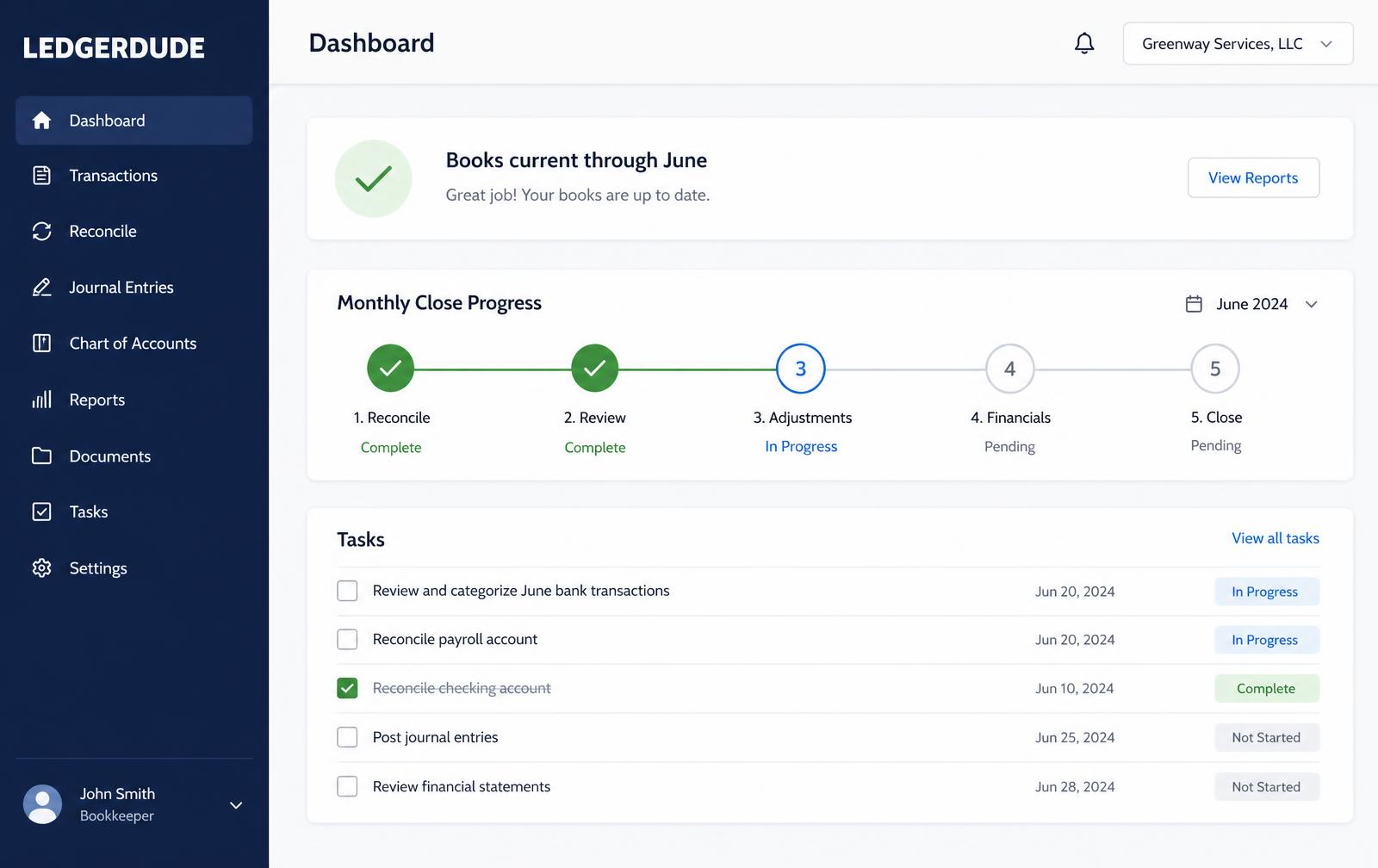
One page with your money in and money out, your cash on hand, and a short list of questions when we need your help.
Reconcile a bank account
- 1
Get the statement
Download the PDF statement for the month and note the ending date and ending balance.
- 2
Set the period
Open reconciliation in your accounting software and enter that same ending date and balance.
- 3
Match deposits
Tick every deposit that appears on both the statement and the books.
- 4
Match payments
Tick every check, card payment and transfer that cleared.
- 5
Work the difference
For anything left, decide whether it is missing from the books, duplicated, or still outstanding.
- 6
Finish and lock
Reconcile to a zero difference, save the report, and close the period so the numbers cannot shift.
Questions people ask
How often should I reconcile?
Monthly, as soon as the statement is available. Waiting a quarter turns a 20-minute job into a hunt through hundreds of lines.
What if last month never reconciled?
Fix the oldest open month first. Differences carry forward, so starting in the middle just moves the problem.
Do I reconcile credit cards too?
Yes, plus loans and lines of credit. Any account with a statement should be reconciled to that statement.
What does this cost?
One flat monthly price. No hourly bills, no surprises. Founding plans start at $149 a month, and your rate stays locked.
Keep reading
The accounts receivable workflow that gets you paid
How to invoice, apply payments and chase overdue customers on a schedule, so receivables stay under 45 days and cash arrives when you expect it.
A bill-pay workflow you can run in 20 minutes a week
How to capture bills, get approval, schedule payments and keep vendor records clean without paying anything twice or missing a due date.
How to reconcile business credit cards cleanly
Why credit cards break more books than bank accounts, how to record charges and payments correctly, and how to close a card statement every month.
All accounting guide library guides
Every guide in this library.
All guide libraries
Accounting, QuickBooks and catch-up.
Our services
Hand the whole thing to us instead.
Want your books handled for you?
We read your receipts, match your bank activity, and close your books every month. You get one short list of questions and a dashboard that always tells the truth.