
Bookkeeping workflows
Sales tax bookkeeping: collect it, hold it, remit it
Why sales tax you collect is never your revenue, how to record it as a liability, and how to reconcile what you collected against what you filed.
The short answer
- Sales tax collected is money you hold for the state, recorded as a liability.
- Recording it as revenue overstates income and understates what you owe.
- Each filing period, the liability account should clear to roughly zero after you remit.
- Nexus rules mean you may owe tax in states where you have no office at all.
It was never your money
A $1,070 invoice with $70 of sales tax is $1,000 of revenue and $70 of liability. Treating the full amount as revenue inflates the top line and leaves the state's money sitting in profit until the bill arrives.
Reconcile collected against filed
Every period, compare the sales tax liability balance to the return you filed. A gap means either taxable sales were coded as non-taxable, a rate was wrong, or a remittance hit the wrong account.
- Run a taxable sales report for the exact filing period
- Compare it to the liability account activity
- Investigate any difference over a few dollars before filing
- Code the payment against the liability, never to an expense
Nexus is where surprises live
Economic nexus rules can create a filing obligation from remote sales alone. If you ship to many states or sell online, review thresholds annually with your CPA — bookkeeping cannot fix a registration you never made.
A quarter of collected tax
- Gross sales
- $412,000
- Non-taxable sales
- $63,000
- Taxable sales
- $349,000
- Tax collected at 8.25%
- $28,793
- Remitted with the return
- $28,793
- Effect on revenue
- $0
What this tells you: Nearly $29,000 passed through the business without being income for a single day. Booked as revenue, it would have looked like a great quarter and a nasty tax bill.
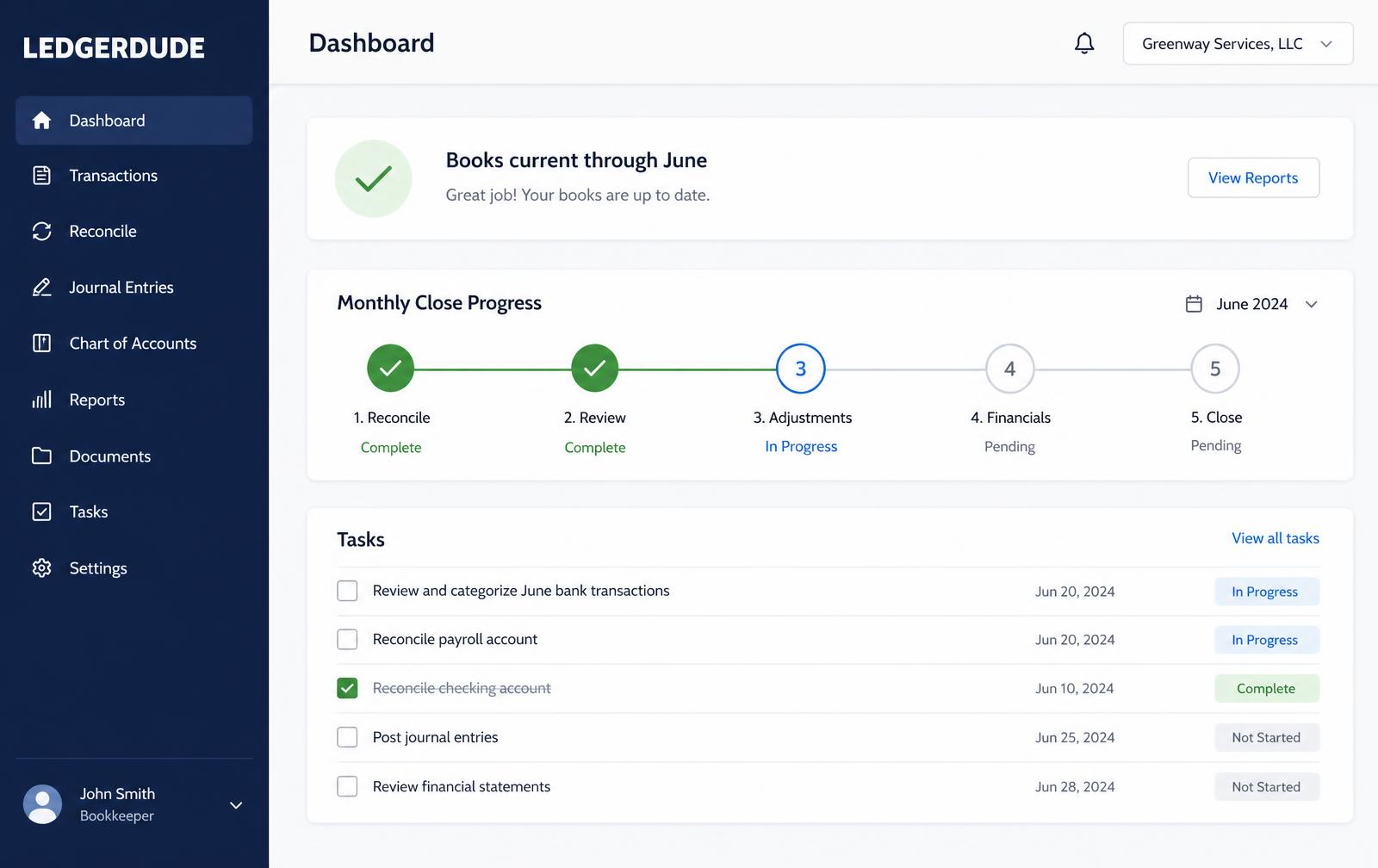
What you see inside LedgerDude
One page with your money in and money out, your cash on hand, and a short list of questions when we need your help.
Close a sales tax period
- 1
Run the report
Pull gross sales, taxable sales and tax collected for the filing period.
- 2
Check coding
Spot-check exempt sales to confirm they are genuinely exempt and documented.
- 3
Compare
Match tax collected to the sales tax liability balance for the period.
- 4
File and pay
File the return and record the payment against the liability account.
- 5
Verify
Confirm the liability clears to the small residual you expect, and note any difference.
Questions people ask
Is sales tax an expense?
No. Tax you collect is a liability. Tax you pay on your own purchases is part of the cost of what you bought.
What if I collected too much?
Refund the customer or remit the excess as the state directs. Keeping it is not an option.
Do services get taxed?
It depends entirely on the state and the service. Confirm before you invoice, because correcting it later means eating the tax.
What does this cost?
One flat monthly price. No hourly bills, no surprises. Founding plans start at $149 a month, and your rate stays locked.
Keep reading
Fixed assets and depreciation without the headache
When a purchase is an asset instead of an expense, how depreciation spreads that cost over time, and how to keep a fixed asset schedule your CPA can use.
Inventory and cost of goods sold, step by step
How inventory sits on the balance sheet until it sells, what belongs in cost of goods sold, and how to count and adjust so your margin is believable.
Bank reconciliation, step by step
How to reconcile a bank account every month: match the statement, chase the differences, and prove the ending balance is real before you close the books.
All accounting guide library guides
Every guide in this library.
All guide libraries
Accounting, QuickBooks and catch-up.
Our services
Hand the whole thing to us instead.
Want your books handled for you?
We read your receipts, match your bank activity, and close your books every month. You get one short list of questions and a dashboard that always tells the truth.